Technology Outline Icons: Clean Design for Any Digital Project
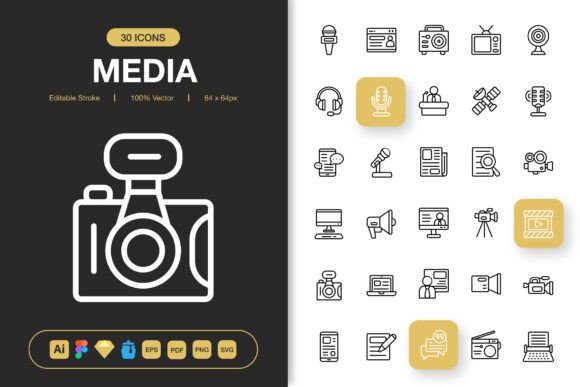
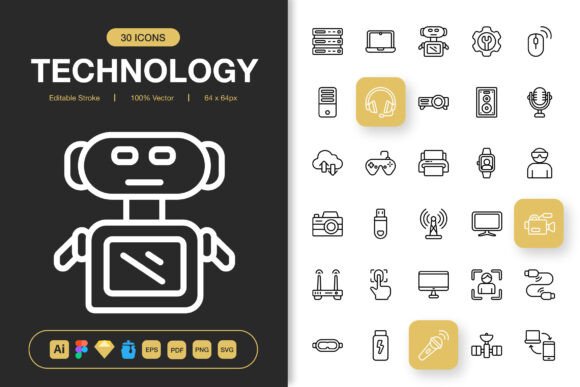
When you’re working on a website, app, or presentation, sometimes you need more than words. You need a quick visual cue that communicates a concept instantly—like a Wi-Fi symbol for connectivity or a gear icon for settings. This is where a well-designed icon set becomes invaluable. The Technology Outline Icons set is a collection of 100 high-quality, minimalist icons specifically designed around tech-related themes.
Its main purpose is to provide a versatile, clean visual toolkit. Each icon uses a simple outline style, which means they are not filled with color or heavy detail. This minimalist design makes them incredibly flexible. They can be easily colored to match your brand, scaled up or down without losing clarity, and integrated into designs without overwhelming the layout. Their value lies in their simplicity and adaptability.
Why a Simple Outline Style Matters
You might wonder why you would choose outline icons over more detailed, filled-in graphics. The answer often comes down to clarity and cohesion. A minimalist icon design acts like a quiet, clear voice in a crowded room. It delivers information without shouting. For users navigating your website or app, these icons offer recognizable symbols that guide them without distraction.
This aesthetic is particularly appealing today, where clean, modern interfaces are preferred. Whether you're a blogger trying to improve your site's visual flow, a marketer creating an infographic, or a small business owner designing a flyer, these icons provide a professional touch that feels current and intentional. They solve a common problem: finding consistent, high-quality visuals that don't require extensive editing or look mismatched.
From Websites to Print: Real-World Applications
The true strength of the Technology Outline Icons set is its wide applicability. Let’s look at some concrete, beginner-friendly examples. Imagine you’re building a simple website for your freelance services. You could use a “laptop” icon next to your remote work description, a “cloud” icon for your file-sharing offerings, and a “shield” icon to denote security. These small visuals break up text and make your services easier to scan.
For a mobile app prototype, perhaps you’re using a tool like Figma or Sketch. Having a set of icons that are ready to drag and drop into your design speeds up your workflow immensely. Instead of searching for individual icons online with varying styles, you have a cohesive library right at hand.
The set also extends perfectly to print and physical media. An educator creating a classroom poster about internet safety could use the relevant icons to create a memorable, easy-to-understand chart. A hobbyist designing a banner for a local tech meetup can incorporate these icons to give the design a polished, thematic look. The included PNG files at multiple sizes (from 32px to 512px) ensure you have the right resolution for anything, from a tiny app button to a large poster.
The Practical Benefits of a Complete File Package
What sets a professional icon collection apart is not just the design, but the delivery. This Technology Outline Icons set comes as a complete package with multiple file formats. This is a crucial detail for users at different skill levels.
For a casual user or beginner, the PNG files are likely the easiest to use. You can simply open them in any basic image editor or drag them directly into many website builders. The multiple transparency sizes mean you’re covered for most common needs.
For professionals and designers, the source files are the key value. The inclusion of Adobe Illustrator (AI), Figma, Sketch, SVG, and EPS Version 10 files means the icons are fully editable. You can change the stroke weight, recolor every element, or even modify the shape if you need to. The editable stroke feature is particularly powerful; it allows you to adjust the line thickness to perfectly match your project’s design language, making the icons feel truly custom.
The IconJar file helps designers organize and access the icons quickly within their workflow, while the PDF can be useful for quick reference or low-tech sharing. Even the Readme.txt file, often overlooked, provides helpful instructions for getting started, ensuring you can make the most of the pack regardless of your preferred software.
Important Considerations Before You Dive In
While a set like this is designed to be easy to use, there are a few things to consider to ensure it meets your needs. First, think about your primary medium. Are you working mostly in digital (web, social media, apps) or print (flyers, books, posters)? The SVG and EPS formats are ideal for scalable vector work, while the PNGs are ready for raster-based uses.
Second, consider your own technical comfort level. If you’ve never opened Adobe Illustrator, you might start with the PNGs or the Figma/Sketch files if you use those platforms. The beauty of this set is that it supports you whether you’re a hobbyist using Canva or a professional developer implementing SVG icons into code.
Finally, reflect on the style match. Outline minimalist icons work wonderfully in modern, clean designs. If your project’s aesthetic is more ornate or vintage, you might need to adjust colors or use these icons sparingly as accents. Their versatility, however, means with a simple color change, they can adapt to many palettes and moods.
Changing Your Next Project with Cohesive Visuals
Ultimately, investing in a quality icon set like the Technology Outline Icons is about elevating your project’s professionalism and user experience. Instead of piecing together disparate icons from various free sources, you get a unified family of symbols. This cohesion makes your website, app, or document feel more trustworthy and easier to navigate.
For entrepreneurs and marketers, this visual consistency strengthens brand identity. For educators and freelancers, it saves precious time and reduces design friction. For anyone creating in the digital space, it provides a reliable tool that bridges the gap between idea and execution. By starting with these fundamental, well-crafted icons, you lay a solid visual foundation, allowing you to focus more on your content and message, knowing your graphics are clear, stylish, and ready to support your work wherever it needs to go.