Navigation Outline Icons: The Minimalist Toolkit for Modern Digital Design
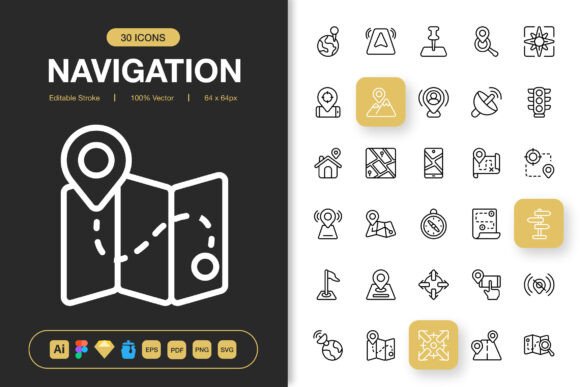
In the ever-evolving landscape of digital design, clarity and efficiency are paramount. Professionals across industries face a constant challenge: communicating complex ideas and functions through simple, intuitive visual language. This is where the power of a well-crafted icon set becomes undeniable. The Navigation Outline Icons collection represents not just a library of symbols, but a thoughtful response to contemporary design needs—a minimalist, versatile toolkit built to elevate any project.
The Philosophy of Minimalism in Digital Communication
The trend towards minimalist design is not merely aesthetic; it is deeply functional. In a world saturated with visual information, clutter leads to confusion. Users, whether navigating a mobile app, browsing a website, or scanning an infographic, seek immediate understanding. Outline icons, with their clean lines and open forms, reduce cognitive load. They guide without overpowering, suggest without dictating. This aligns perfectly with broader trends in user experience (UX) and user interface (UI) design, where the goal is seamless, almost invisible, interaction. The Navigation Outline Icons set embodies this philosophy, offering a visual system that feels both contemporary and timeless.
Why Outline Icons Are Capturing Attention
Creators and businesses are paying increased attention to iconography for several interconnected reasons. First, the digital ecosystem has become multi-platform. A brand’s visual identity must translate flawlessly from a tiny mobile screen to a large desktop monitor, a printed flyer, or a social media post. Second, there is a growing expectation for customization. Brands want tools that can adapt to their unique color schemes, styles, and narratives, not rigid graphics that force conformity. The editable stroke feature within the Navigation Outline Icons collection directly addresses this need, allowing designers to tweak weight, scale, and detail without losing integrity. This flexibility is crucial in a market where differentiation is key.
Adapting to Changing Workflows and Expectations
Modern creative workflows are dynamic and often collaborative. A freelancer might start a concept in Sketch, a team might refine it in Figma, and final assets might be prepared in Adobe Illustrator. The inclusion of source files like .figma, .sketch, and .ai in this icon set acknowledges this reality. It removes friction. Similarly, the expectation for high-quality assets across multiple resolutions—from 32px for precise UI elements to 512px for high-impact presentations—is now standard. Providing PNG files at key pixel dimensions ensures that icons remain crisp and professional in any context, whether embedded in code or placed in print.
The practical implications are significant. Consider an entrepreneur building a new app. Using a cohesive set of Navigation Outline Icons for menu items, actions, and indicators creates instant visual harmony and usability. A marketer designing an annual report can leverage the same icons in the accompanying infographic and promotional banners, ensuring brand consistency across touchpoints. The easy drag-and-drop functionality and multiple file formats (SVG, EPS, PDF, IconJar) accelerate these processes, turning a potentially tedious asset management task into a simple, efficient one.
Connecting to Larger Developments: The Demand for Scalable Design Systems
The relevance of comprehensive icon sets connects to a larger development in technology and business: the rise of design systems. Companies are moving away from ad-hoc graphics towards unified, scalable libraries of components that ensure consistency and speed up production. While a full design system includes many elements, icons are a foundational part. The Navigation Outline Icons set, with its 100 customizable icons and wide format support, can serve as the icon pillar of such a system. It allows teams to establish a clear visual language that grows with the project, from a startup’s first landing page to a mature product’s complex interface.
Practical Applications Across Disciplines
The true test of any design resource is its applicability. This collection’s strength lies in its purposeful versatility.
- For Web & Mobile Developers: SVG files ensure lightweight, scalable icons that maintain quality on any device, improving performance and user experience.
- For Print & Publication Designers: The high-resolution EPS and PDF versions provide crisp outlines for flyers, posters, books, and banners, bridging digital and physical design seamlessly.
- For Content Creators & Social Media Managers: PNG files with transparency allow for easy integration into graphics for blogs, social posts, and online ads, enhancing communication without requiring deep design software expertise.
- For Freelancers & Agencies: Having one reliable, multi-format resource reduces time spent sourcing or creating disparate icons, allowing focus on higher-value creative and strategic work.
Each of these scenarios underscores a shift in professional needs: the demand for tools that are both high-quality and highly adaptable, reducing repetitive tasks and enabling creative energy to flow towards innovation and problem-solving.
Beyond the Download: A Foundation for Clarity
Ultimately, investing in a robust icon set like Navigation Outline Icons is an investment in clear communication. In every project—whether a website, app, book, or campaign—icons serve as silent guides. They direct attention, explain functions, and create visual rhythm. A minimalist, outline-based approach ensures this guidance is subtle and sophisticated, fitting the expectations of today’s discerning users and clients. The included Readme.txt file symbolizes a commitment to a smooth start, providing essential information to integrate these assets effectively into your workflow immediately.
As digital and physical media continue to converge, and as the pace of content creation accelerates, the value of a unified, quality visual toolkit only grows. This collection is designed not just to change your next project, but to streamline your ongoing creative process, offering a solid foundation of icons that you can shape, scale, and deploy wherever your ideas need to go. It’s a practical step towards more coherent, professional, and impactful design outcomes.