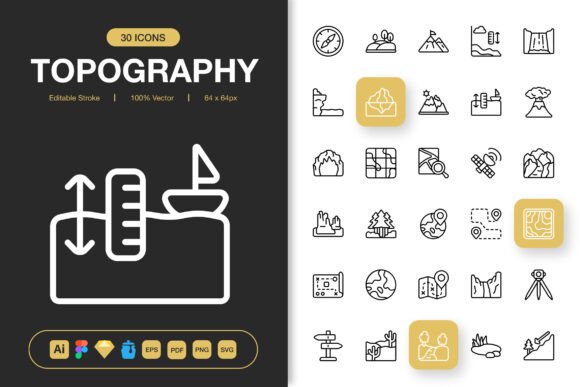
Elevate Your Projects with the Topography Icons Pack
Every project needs a strong visual foundation. Whether you’re designing a website, crafting a presentation, or building a mobile app, the details matter. A cohesive set of icons can tie everything together, providing clarity, direction, and a polished aesthetic. The Topography Icons Pack is designed specifically for this purpose. It’s more than just a collection of graphics; it’s a versatile toolkit built to adapt to your unique creative needs.
Think of it as a universal visual language. Instead of scrambling to find mismatched icons for different parts of your work, this pack gives you a consistent family of symbols. Each icon shares a minimalist design philosophy, ensuring they look like they belong together whether they’re sitting on a dashboard, a printed flyer, or a social media post. This consistency is what transforms a good project into a professional one.
Where Minimalist Design Meets Real-World Utility
Minimalism in design isn’t just about looking sleek; it’s about functioning effectively. A clean, uncluttered icon communicates its message instantly, without distracting the user. The Topography Icons Pack embodies this principle. The set is crafted to be immediately understandable, which is crucial in today’s fast-paced digital environments.
Consider a small business owner updating their website’s service page. Using clear, simple icons to represent different offerings—like consulting, support, or delivery—helps visitors navigate the information quickly. A blogger embedding icons within a long article can break up the text and highlight key sections, improving readability. An educator creating an online course can use these icons to denote video lectures, quizzes, and downloadable resources, creating a intuitive learning path. The minimalist style ensures the focus stays on your content, not on decorative graphics.
Adapting to Your Creative Environment
The true test of any digital asset is how easily it integrates into your actual workflow. You might start a design in Figma, move it to Adobe Illustrator for fine-tuning, and need PNGs for a web developer. The Topography Icons Pack is built for this reality. Including the source file in Illustrator, a Figma file, a Sketch file, and an Iconjar file means you aren’t locked into one software. You can work in the tool you’re most comfortable with, without wasting time on conversions or recreations.
This flexibility extends to the final stages of your project. The multiple file formats—EPS, PDF, SVG, and PNGs in seven specific sizes from 32px to 512px—address different output needs. The SVG files, with their editable strokes, allow for infinite customization. You can change colors to match your brand palette, adjust line weights for better contrast on dark backgrounds, or even tweak a detail to make an icon perfectly align with your concept. This level of control turns a pre-made pack into a truly custom asset.
Scenarios That Showcase Versatility
Let’s look beyond the features and see how this pack functions in the hands of different users.
A freelance marketer is tasked with creating an infographic for a client’s annual report. She needs icons to represent growth, sustainability, team collaboration, and market reach. Using the Topography Icons Pack, she can drag and drop the relevant SVG files into her design software, quickly recolor them to the client’s brand green, and scale them perfectly for both a large poster print and a smaller version for the website. The consistent style gives the infographic an authoritative, clean look that reinforces the client’s professional message.
A hobbyist running a niche blog about hiking wants to improve his site’s navigation. He uses the pack’s icons to create a visual menu: a mountain icon for trail guides, a compass for gear reviews, and a tent for camping tips. The PNG files at 96px and 128px are perfectly crisp for his web interface, and the minimalist design complements the outdoors-themed aesthetic without feeling cartoonish or overly technical.
An app developer is prototyping a new fitness application. He needs icons for workout types, nutrition tracking, and progress metrics. Using the Figma file, he seamlessly integrates the icons into his interactive prototype, testing how users interpret them. The editable stroke feature lets his team experiment with slightly bolder lines for better visibility on mobile screens. Later, the same SVG files are handed to the engineering team for implementation, ensuring design consistency from prototype to final product.
What to Consider Before Using a New Icon Set
Introducing a new visual element like an icon pack into your projects requires a bit of forethought. First, assess the overall style of your existing work. The Topography Icons Pack’s minimalist, line-based design pairs best with modern, clean layouts. It might clash with a project that intentionally uses vintage, hand-drawn, or overly complex graphics.
Second, think about scalability. Will you need these icons at very small sizes for mobile app buttons, or at very large sizes for conference banners? The included range of pre-made PNGs covers common needs, but the scalable vector files (SVG, EPS) are your safeguard for any unusual size requirement, ensuring quality never degrades.
Finally, consider your own technical comfort. If you primarily work with basic office software, the PNG files are your go-to—easy to drag and drop into documents or simple web editors. If you are comfortable with design software like Illustrator or Figma, you unlock the full potential of customization through the source files. The pack supports both approaches, but knowing which path you’ll take helps you start efficiently.
Connecting Features to Tangible Outcomes
The list of included files isn’t just a checklist; each format solves a specific problem.
The Iconjar file, for example, isn’t merely another format. For designers who use this organizer, it means having the entire set instantly searchable and accessible from within their design software, saving precious minutes during a hectic workflow. The Readme.txt file provides straightforward guidance, preventing the frustration of figuring out file structures or compatibility issues—a small feature that translates directly into a smooth, frustration-free start.
The provision of PNG files with transparency at specific pixel dimensions eliminates a common, tedious task. You don’t have to manually resize icons and ensure the background is truly transparent for each use case. If you need a 48px icon for a web button and a 256px icon for a PDF handout, they’re ready. This directly results in faster project completion and fewer technical hiccups.
Ultimately, the Topography Icons Pack is about reducing friction in your creative process. It provides a reliable, high-quality visual vocabulary that you can deploy across countless projects—from digital to print—without having to reinvent the wheel each time. The consistency it brings strengthens your brand identity, and the time it saves allows you to focus on the bigger ideas that make your work stand out. When every element aligns, the entire project feels intentional, credible, and ready to make its mark.