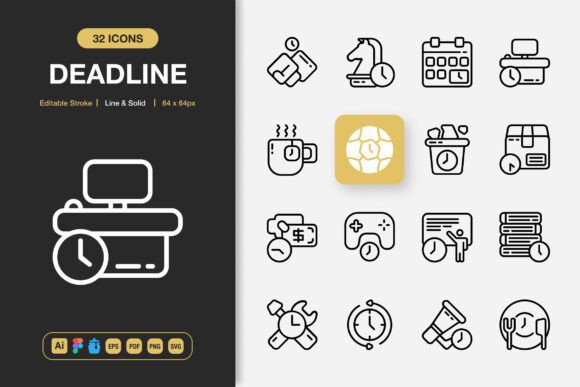
Deadline Icons: A Practical Asset for Streamlined Visual Communication
Every designer, marketer, and content creator eventually faces the same bottleneck: finding visual elements that match the project's tone without forcing compromises. A mismatched icon can dilute a brand message or create visual friction that distracts the user. Deadline Icons address this by delivering a comprehensive set of line and solid style icons that adapt to a wide spectrum of projects, from website interfaces to printed marketing materials. The collection is built around clarity, consistency, and immediate usability, which means less time searching and more time executing.
What sets these icons apart is not just the visual polish but the practical file structure that accompanies them. When you download a set that includes source files for Adobe Illustrator, a Figma file, an Iconjar file, EPS version 10, PDF, SVG, and PNG with transparency, you are essentially receiving a ready-to-deploy toolkit. This multi-format approach ensures that whether you are working inside a design system, prototyping a mobile app, or laying out a flyer for a local event, the icons integrate without friction.
How Deadline Icons Fit Into a Real Workflow
Imagine starting a client website redesign. The wireframes are approved and you are moving into high-fidelity UI design. You need icons for navigation, feature highlights, and call-to-action elements. Instead of sourcing from five different free libraries, each with a slightly different stroke width and personality, you load the Deadline Icons file into Figma. The consistent grid, uniform stroke weight, and the choice between line and solid styles let you build a cohesive visual language in minutes. This accelerates the design phase and reduces the back-and-forth revisions that often arise from inconsistent visual assets.
The same logic applies to print projects. When preparing a brochure, poster, or banner, vector formats like EPS and SVG ensure that icons scale without degradation. Deadline Icons provide editable stroke options, meaning you can adjust line thickness to match your typography or overall layout density. This level of control is critical when visual consistency across digital and physical formats determines the perceived professionalism of the final product.
Preparing Your Environment for Smooth Integration
Before dragging any icon into your project, organize the assets in a way that speeds up future work. Create a dedicated folder structure on your local drive or cloud storage that mirrors how you search for icons: by style, by category, and by project type. Since Deadline Icons includes both line and solid styles, separate them early. Tag them within your design tool or asset manager. If you use Iconjar, the included Iconjar file makes this trivial—drag it in and you have an instantly searchable library.
For teams using Figma, publish the icon file as a shared library. This allows every team member to pull from the same source, ensuring that updates or style changes propagate across all project files. If you need to customize stroke width for a specific brand, do it once in the source file and the changes ripple outward. This kind of setup transforms a static icon set into a dynamic design system component.
Matching Icon Styles to Project Context
Context dictates whether a line icon or a solid icon serves the user better. Line icons tend to feel lighter and more elegant, working well in minimalist interfaces, editorial layouts, and dashboard designs where breathing room matters. Solid icons carry more visual weight and are easier to spot at small sizes, making them suitable for mobile navigation bars, infographics, and call-to-action buttons.
Deadline Icons give you both styles within the same set, drawn with the same underlying proportions. This means you can mix line and solid icons within a single layout without introducing stylistic dissonance. A common technique is to use solid icons for primary actions and line icons for secondary or tertiary elements. The editable stroke feature lets you fine-tune the line icons further—thicker strokes for accessibility-focused designs or thinner strokes for high-end fashion or luxury branding.
Practical Use Cases Across Different Media
Consider a content marketer building an infographic for a quarterly report. Data visualization requires clarity above all else. Deadline Icons in solid style can represent data categories, milestones, or industry sectors without competing with the charts themselves. Because the icons are high quality and built on a consistent grid, they align perfectly with adjacent text blocks and graphical elements. Export as SVG for web use or PNG with transparency for embedding into presentation decks.
For social media managers, speed and brand alignment are non-negotiable. Templates for Instagram stories, carousel posts, or LinkedIn banners often need supporting icons that match the brand's voice. The drag-and-drop nature of Deadline Icons means you can open the Figma or Illustrator file, copy the needed icon, and paste it directly into your social media layout. Adjust colors, scale, and positioning without loss of quality. The PNG transparency files are particularly useful for quick edits in Canva or other browser-based tools where vector support may be limited.
Self-published authors and book designers will find the EPS and PDF formats valuable. Book interiors, chapter headers, and margin notes benefit from subtle iconography that signals structure. A consistent icon style across a non-fiction book or a workbook reinforces the professional finish that readers subconsciously associate with quality content. Because the icons are fully customizable, you can match the stroke weight to the body text's typeface, creating a harmonious reading experience.
Quality Control and Long-Term Consistency
One of the quiet frustrations of working with disparate icon sources is the gradual drift in visual quality. Pixel-perfect alignment becomes guesswork when icons from different designers have different baseline grids. Deadline Icons are built with a unified grid system, meaning every icon sits on the same foundation. This is a detail that non-designers rarely notice consciously but feel when something looks "off."
Consistency extends to the technical specifications. The included readme.txt file provides clear guidance on usage rights, file organization, and any layer structure conventions. This documentation, while often overlooked, becomes essential when onboarding new team members or handing off assets to external contractors. Someone unfamiliar with the set can open the readme, understand the file structure, and begin working without needing a lengthy handover call.
For long-term projects that evolve over months or years, maintaining a single source of truth for icons prevents duplication of effort. When a marketing campaign needs to revisit assets from a previous quarter, having Deadline Icons organized and versioned means you are not recreating or re-sourcing visuals. The combination of vector source files and PNG exports covers both editable master files and ready-to-use raster images, bridging the gap between design and deployment.
Integrating With Other Tools and Platforms
Deadline Icons interact well with popular design and productivity ecosystems. In Figma, you can wire the icons into interactive prototypes, using them as button elements or status indicators. In Adobe Illustrator, batch recolor the entire set to match a new brand palette in seconds. Developers receiving SVG exports can inline the code directly into HTML or React components, keeping the DOM clean and stylesheet-manageable.
Content management systems like WordPress benefit from icon consistency as well. Custom post types, feature boxes, and navigation elements can all use the same icon family. Upload the SVG or PNG files to your media library and reference them across pages. Because Deadline Icons are high quality at any resolution, retina displays and high-DPI screens render them sharply without additional optimization work.
Email marketing is another area where these icons prove useful. Designing HTML emails requires a careful balance of visual interest and fast loading times. PNG transparency files at appropriate dimensions keep file sizes low while adding visual cues that guide the reader's eye toward key messages. A well-placed icon next to a headline or call-to-action button can increase engagement without weighing down the email's load time.
Customization Without Compromise
The phrase "100 customizable" accompanies Deadline Icons for a reason. Every icon in this set can be reshaped, recolored, restyled, or combined with other elements to fit a unique brand identity. Editable stroke means you are not locked into the designer's original aesthetic choice. Need a bolder line for a fintech dashboard where data density demands high contrast? Increase the stroke weight and observe the visual hierarchy shift in real time.
Customization also covers the ability to deconstruct icons and repurpose individual shapes. In Adobe Illustrator or Figma, you can ungroup an icon, extract a specific geometric element, and reuse it in a pattern, a larger illustration, or a logo mark. This flexibility respects the designer's need for creative freedom while providing the structural foundation that saves hours of drafting basic shapes from scratch.
Organizing Your Icon Library for Team Efficiency
If you manage a creative team, standardizing on a single icon set reduces cognitive load during design critiques and reviews. When everyone references the same library, feedback becomes more specific—comments shift from "that icon style feels off" to "let's use the solid version here for better contrast." This precision accelerates revision cycles and keeps projects on schedule, a direct alignment with the deadline-focused mindset these icons support.
Create a naming convention that maps to how your team searches. Instead of generic file names, rename the SVGs to reflect actual usage: "icon-calendar-deadline.svg" or "icon-checkmark-complete.svg." This small upfront investment pays dividends when you are assembling a presentation ten minutes before a meeting and need to locate the right visual cue instantly.
Moving From Asset Collection to Execution
Deadline Icons ultimately serve a simple purpose: they remove friction between having an idea and executing it visually. The breadth of file formats means you are not scrambling to convert or export in the middle of a workflow. The line and solid styles provide adaptive visual language for different contexts. The editable nature of the set ensures that you maintain creative control rather than bending your design to fit a static asset.
When you integrate these icons into your next project—whether a website, mobile app, book layout, social media campaign, infographic, flyer, banner, or poster—you are not just adding decoration. You are building a consistent visual system that communicates clearly to your audience. That clarity, achieved through deliberate asset choices, separates work that feels composed from work that feels assembled. Icon selection might seem like a minor detail, but it is one of the many small decisions that compound into a polished, credible final product.